WP_Query Object
(
[query] => Array
(
[post_type] => Array
(
[0] => resource
[1] => post
)
[posts_per_page] => 9
[orderby] => publish_date
[order] => DESC
[paged] => 1
)
[query_vars] => Array
(
[post_type] => Array
(
[0] => post
[1] => resource
)
[posts_per_page] => 9
[orderby] => publish_date
[order] => DESC
[paged] => 1
[error] =>
[m] =>
[p] => 0
[post_parent] =>
[subpost] =>
[subpost_id] =>
[attachment] =>
[attachment_id] => 0
[name] =>
[pagename] =>
[page_id] => 0
[second] =>
[minute] =>
[hour] =>
[day] => 0
[monthnum] => 0
[year] => 0
[w] => 0
[category_name] =>
[tag] =>
[cat] =>
[tag_id] =>
[author] =>
[author_name] =>
[feed] =>
[tb] =>
[meta_key] =>
[meta_value] =>
[preview] =>
[s] =>
[sentence] =>
[title] =>
[fields] => all
[menu_order] =>
[embed] =>
[category__in] => Array
(
)
[category__not_in] => Array
(
)
[category__and] => Array
(
)
[post__in] => Array
(
)
[post__not_in] => Array
(
)
[post_name__in] => Array
(
)
[tag__in] => Array
(
)
[tag__not_in] => Array
(
)
[tag__and] => Array
(
)
[tag_slug__in] => Array
(
)
[tag_slug__and] => Array
(
)
[post_parent__in] => Array
(
)
[post_parent__not_in] => Array
(
)
[author__in] => Array
(
)
[author__not_in] => Array
(
)
[search_columns] => Array
(
)
[ignore_sticky_posts] =>
[suppress_filters] =>
[cache_results] => 1
[update_post_term_cache] => 1
[update_menu_item_cache] =>
[lazy_load_term_meta] => 1
[update_post_meta_cache] => 1
[nopaging] =>
[comments_per_page] => 50
[no_found_rows] =>
)
[tax_query] => WP_Tax_Query Object
(
[queries] => Array
(
)
[relation] => AND
[table_aliases:protected] => Array
(
)
[queried_terms] => Array
(
)
[primary_table] => wp_443ttgh517_posts
[primary_id_column] => ID
)
[meta_query] => WP_Meta_Query Object
(
[queries] => Array
(
)
[relation] =>
[meta_table] =>
[meta_id_column] =>
[primary_table] =>
[primary_id_column] =>
[table_aliases:protected] => Array
(
)
[clauses:protected] => Array
(
)
[has_or_relation:protected] =>
)
[date_query] =>
[request] => SELECT SQL_CALC_FOUND_ROWS wp_443ttgh517_posts.ID
FROM wp_443ttgh517_posts
WHERE 1=1 AND ((wp_443ttgh517_posts.post_type = 'post' AND (wp_443ttgh517_posts.post_status = 'publish' OR wp_443ttgh517_posts.post_status = 'acf-disabled')) OR (wp_443ttgh517_posts.post_type = 'resource' AND (wp_443ttgh517_posts.post_status = 'publish' OR wp_443ttgh517_posts.post_status = 'acf-disabled')))
ORDER BY wp_443ttgh517_posts.post_date DESC
LIMIT 0, 9
[posts] => Array
(
[0] => WP_Post Object
(
[ID] => 13307
[post_author] => 21
[post_date] => 2025-11-24 10:55:03
[post_date_gmt] => 2025-11-24 18:55:03
[post_content] =>
[post_title] => OneStream Power BI Playbook: 5 Steps to Creating a World Class OneStream Analytics Model
[post_excerpt] =>
[post_status] => publish
[comment_status] => closed
[ping_status] => closed
[post_password] =>
[post_name] => onestream-power-bi-playbook
[to_ping] =>
[pinged] =>
[post_modified] => 2025-11-24 11:26:55
[post_modified_gmt] => 2025-11-24 19:26:55
[post_content_filtered] =>
[post_parent] => 0
[guid] => https://prefstdev.wpengine.com/?post_type=resource&p=13307
[menu_order] => 0
[post_type] => resource
[post_mime_type] =>
[comment_count] => 0
[filter] => raw
)
[1] => WP_Post Object
(
[ID] => 13306
[post_author] => 21
[post_date] => 2025-11-24 10:49:12
[post_date_gmt] => 2025-11-24 18:49:12
[post_content] =>
[post_title] => The Good, the Bad, & the Ugly: Unearthing Digital Gold Using Analytics
[post_excerpt] =>
[post_status] => publish
[comment_status] => closed
[ping_status] => closed
[post_password] =>
[post_name] => good-bad-ugly
[to_ping] =>
[pinged] =>
[post_modified] => 2025-11-24 11:28:33
[post_modified_gmt] => 2025-11-24 19:28:33
[post_content_filtered] =>
[post_parent] => 0
[guid] => https://prefstdev.wpengine.com/?post_type=resource&p=13306
[menu_order] => 0
[post_type] => resource
[post_mime_type] =>
[comment_count] => 0
[filter] => raw
)
[2] => WP_Post Object
(
[ID] => 13291
[post_author] => 6
[post_date] => 2025-11-12 13:39:30
[post_date_gmt] => 2025-11-12 21:39:30
[post_content] =>
[post_title] => AI in Action for JDE: A Practical Guide for Consumers, Creators, and Developers
[post_excerpt] =>
[post_status] => publish
[comment_status] => closed
[ping_status] => closed
[post_password] =>
[post_name] => ai-in-action-jdedwards
[to_ping] =>
[pinged] =>
[post_modified] => 2025-11-24 11:27:37
[post_modified_gmt] => 2025-11-24 19:27:37
[post_content_filtered] =>
[post_parent] => 0
[guid] => https://prefstdev.wpengine.com/?post_type=resource&p=13291
[menu_order] => 0
[post_type] => resource
[post_mime_type] =>
[comment_count] => 0
[filter] => raw
)
[3] => WP_Post Object
(
[ID] => 13264
[post_author] => 6
[post_date] => 2025-11-11 16:22:21
[post_date_gmt] => 2025-11-12 00:22:21
[post_content] =>
The Ultimate Guide to Connecting NetSuite to Power BI
If you're reading this, you probably already know your NetSuite system holds valuable business data. But getting that data into Power BI in a way that's actually usable? That's where most organizations struggle.
This isn't just about connecting to a database. NetSuite's cloud-native architecture was built for flexibility and customization, not necessarily for straightforward analytics. Multi-subsidiary structures, custom fields and segments, transaction tables storing dozens of transaction types, and multi-currency operations create complexity that goes far beyond standard database integration. These aren't minor inconveniences; they're fundamental architectural differences that determine whether your analytics initiative succeeds or fails.
This guide shows you four ways to connect NetSuite to Power BI and how to evaluate which approach fits your organization's needs.
Why NetSuite Data Is Different (And Difficult)
Before we dive into connection methods, you need to understand what makes NetSuite unique. This cloud ERP was designed for flexibility and multi-tenant operation, creating specific challenges for analytics.
The Three Core Challenges
1. Multi-Purpose Transaction Tables That Combine Everything
NetSuite stores all transaction types (invoices, bills, journal entries, sales orders, purchase orders, cash sales, credit memos, and more) in a single unified transaction table structure. While this makes the system flexible, it creates immediate reporting challenges. A single "transaction" record could be a customer invoice, vendor bill, journal entry, or any of dozens of other transaction types. Each type has different fields that are relevant, different business rules that apply, and different ways they impact financial statements.
This creates an immediate problem: reporting requires understanding which transaction types to include, how to filter them correctly, and which fields are relevant for each analysis. Miss these nuances, and your reports show incorrect data or mix incompatible transaction types.
2. Custom Fields and Segments That Vary by Implementation
NetSuite's flexibility means every organization customizes their instance with custom fields, custom records, custom segments (like Class, Department, Location), and custom transaction body fields. These customizations hold critical business logic specific to your operations. A manufacturing company might track production lines and quality codes. A multi-brand retailer might track brand, channel, and region hierarchies. A services firm might track projects, practice areas, and client industries.
These custom fields don't follow standard naming conventions. They're implementation-specific, which means generic NetSuite reporting solutions can't anticipate what matters to your business. Every analytics solution must be configured to understand your unique custom field structure.
3. Multi-Subsidiary Structures That Complicate Consolidation
NetSuite's multi-subsidiary architecture enables organizations to manage multiple business units, legal entities, or brands within a single instance. While this provides operational efficiency, it creates significant analytics complexity. Each subsidiary may have its own chart of accounts, fiscal calendar, currency, and business rules. Consolidated reporting requires understanding parent-child relationships, intercompany eliminations, and how to aggregate data while respecting subsidiary-specific configurations.
Run reports without properly handling subsidiary structures, and you risk double-counting intercompany transactions, mixing currencies incorrectly, or violating financial reporting requirements.
The Four Methods to Connect NetSuite to Power BI
Now, let's examine your options. Each approach has different trade-offs in cost, complexity, and capability.
1
The Saved Search Export Approach
How it works: Users leverage NetSuite's Saved Search functionality to create custom queries, export results to CSV or Excel, and use those files as data sources for Power BI reports.
The Typical Workflow:
- Create NetSuite Saved Searches: Build custom searches using NetSuite's Saved Search interface to define criteria, columns, and filters
- Schedule or Run Manually: Execute searches on demand or schedule them to run automatically
- Export to CSV/Excel: Use NetSuite's export functionality to generate flat files
- Save to Shared Location: Store exported files on network drives, SharePoint, or cloud storage
- Connect Power BI: Use Power BI's "Get Data from Excel/CSV" connector to import the files
- Manual Refresh Process: Re-run exports on schedule (daily, weekly, monthly)
Pros:
- No infrastructure investment required
- Leverages familiar NetSuite functionality
- Can start immediately with existing tools
- No special IT skills required for basic searches
Cons (aka Dealbreakers):
- Heavily manual processes prone to human error
- NetSuite's Saved Search has performance and row limitations
- Zero data governance or version control
- Each department creates their own exports (data silos)
- Cannot handle complex multi-table joins efficiently
- Refresh reliability depends on individual availability
- No historical trending without manual data archiving
Verdict: This approach is suitable only as a temporary stopgap for very limited, single-user exploration. It breaks down immediately when you need enterprise scale, automated refreshes, historical trends, or cross-functional insights. Every organization should view this as a starting point to be quickly replaced, not a sustainable strategy.
2
SuiteAnalytics Connect Direct Connection
How it works: Use NetSuite's SuiteAnalytics Connect (ODBC/JDBC driver) to query NetSuite data directly from Power BI. This appears straightforward; just configure the connection and start building reports against NetSuite's cloud database.
The Technical Setup:
- Enable SuiteAnalytics Connect: Activate the feature in your NetSuite account (requires additional licensing)
- Configure ODBC/JDBC Driver: Install and configure NetSuite's SuiteAnalytics Connect driver on each developer machine
- Obtain Connection Credentials: Secure connection strings with appropriate role-based permissions
- Connect via Power BI Desktop: Use Get Data → Other → ODBC to establish connection
- Select Tables: Choose from NetSuite2.com data source tables (Transaction, TransactionLine, Account, Customer, etc.)
- Build Transformations: Use Power Query to join tables, filter transaction types, incorporate custom fields, handle subsidiaries
- Choose Import or DirectQuery: Decide whether to cache data locally or query live
Two Connection Modes:
Import Mode: Power BI extracts data and stores it in compressed format. Refreshes run on schedule. Lower query latency, but data is only as fresh as the last refresh.
DirectQuery Mode: Power BI sends queries to NetSuite database in real-time. Data is always current, but every user interaction triggers database queries against your NetSuite instance.
Tools and Skills Required:
- Power BI Desktop for development
- SQL/ODBC knowledge to understand NetSuite table structures
- Power Query M language for transformations
- NetSuite functional expertise to understand transaction types, custom fields, and subsidiary structures
- Understanding of NetSuite data source schema and Records Catalog
Pros:
- Moderate initial setup (days for first connection)
- Real-time data possible with DirectQuery mode
- No additional infrastructure investment initially
- Uses native Power BI and NetSuite functionality
Cons (Critical Problems):
- SuiteAnalytics Connect requires additional NetSuite licensing (significant cost)
- Performance impact on NetSuite instance can affect other users
- Every developer must manually handle transaction type filtering, custom field integration, and subsidiary logic in Power Query
- Each report becomes a custom, fragmented solution
- Business logic inconsistent across reports (everyone solves problems differently)
- Cannot efficiently handle complex multi-subsidiary consolidation
- Row-level security implementation is complex and error-prone
- DirectQuery performance degrades with complex queries
- Only senior developers with deep NetSuite expertise can build reports
Verdict: This approach trades short-term convenience for long-term pain. While skilled developers can create their first report in a few days, each subsequent report requires solving the same problems again. The licensing cost, performance impact on NetSuite, and lack of consistent business logic make this suitable only for very limited proof-of-concept work. Strongly discouraged for any production environment or enterprise-scale deployment.
3
Traditional Data Warehouse
How it works: Build a separate analytics database optimized for reporting. Use ETL (Extract, Transform, Load) processes to regularly pull data from NetSuite, transform it into analytics-friendly structures, and load it into an analytics database designed for fast queries.
This is the proven enterprise approach that Fortune 500 companies have used for decades.
The Four-Layer Architecture:
1. Extract Stage - Getting Data Out of NetSuite
The ETL process begins by connecting to NetSuite using SuiteAnalytics Connect, RESTlet APIs, or specialized connectors (like Fivetran or Azure Data Factory) to extract key tables: Transaction, TransactionLine, Account, Customer, Vendor, Item, Subsidiary, Currency, and your custom records. Extractions typically run on nightly schedules for most data, with hourly refreshes for critical financial and operational metrics. To minimize NetSuite load, the process uses incremental extraction based on lastModifiedDate or transaction date filters to pull only records that have changed since the last run.
2. Transform Stage - Solving NetSuite Complexity
This is where the real value is created. The transformation layer filters and separates transaction types into distinct fact tables (invoices, bills, sales orders, journal entries), joins custom field records to decode and include implementation-specific business logic, implements multi-subsidiary consolidation rules including intercompany eliminations, applies multi-currency conversion using NetSuite's exchange rate tables, and renames technical field names to business-friendly terms. The process creates conformed dimensions for Customer, Vendor, Item, Account, Date, and Subsidiary that maintain consistency across all reporting, while enforcing data quality through deduplication and referential integrity checks. It also flattens NetSuite's normalized structure into analytics-friendly fact and dimension tables optimized for BI tools.
3. Load Stage - Optimizing for Analytics
The cleaned, transformed data loads into a dedicated analytics database (typically SQL Server or Azure SQL Database) optimized specifically for query performance rather than transaction processing. This includes implementing indexes tailored to analytical query patterns, partitioning large transaction tables by date for faster access, applying compression to reduce storage costs, and configuring incremental loads so only changed data is refreshed rather than reloading entire tables on each run. The warehouse is isolated from NetSuite's production environment, eliminating any risk of analytics queries impacting ERP operations.
4. Power BI Semantic Layer - Enabling Self-Service Analytics
Power BI connects to the data warehouse using Import mode (for optimal performance) or DirectQuery (when near real-time data is required). Report developers build semantic models that define relationships between fact and dimension tables, create calculated measures using DAX for standardized KPIs (gross profit, DSO, DPO, operating margin), and implement row-level security to control data access by user role and subsidiary. In an Enterprise deployment approach, once published to Power BI Service, the semantic models serve as a certified, governed data source that business users across the organization can leverage to build their own reports and dashboards. This enables true self-service analytics without each user needing to understand NetSuite's underlying complexity.
Skills and Resources Required:
- Data warehouse architects to design star schemas and ETL pipelines
- SQL expertise for transformation logic
- NetSuite functional and technical knowledge (understanding transaction types, custom fields, subsidiary structures)
- Database administrators for warehouse performance tuning and ongoing maintenance
Pros:
- Minimal impact on NetSuite system when configured correctly
- Consistent, centralized business logic applied everywhere
- Enterprise scalability (billions of rows, hundreds of users)
- Self-service enabled through business-friendly data models
- Strong governance and security capabilities
- Can integrate multiple data sources (CRM, HR, IoT)
- Full historical trending and point-in-time reporting
Cons:
- 12-24 month implementation timeline (design, build, test)
- $150K-$500K+ initial investment
- Requires specialized skills not always available in-house
- Database infrastructure costs (servers or cloud resources)
- Ongoing maintenance and support required
- Typically only supports business intelligence workloads with minimal support for AI and advanced analytics
Verdict: This is the gold standard for enterprise-grade production reporting. Most Fortune 500 companies use this architectural pattern for mission-critical BI. If executed well, the investment in time, budget, and expertise pays dividends through performance, consistency, and scalability. However, the 12-24 month timeline and significant costs mean organizations must carefully evaluate whether to build this from scratch or leverage a pre-built solution.
4
Modern Data Lakehouse
How it works: The Data Lakehouse combines the best of data lakes (flexible storage of all data types, support for AI/ML workloads) with the management features of data warehouses (ACID transactions, schema enforcement, governance). Built on cloud platforms like Databricks or Microsoft Fabric, it provides a unified foundation for both traditional BI and advanced analytics.
This represents the evolution of the traditional data warehouse approach, optimized for cloud-native architectures and future AI capabilities.
The Medallion Architecture:
Data Lakehouses implement a three-tier structure: the
Bronze layer captures raw NetSuite data in its original form (transaction tables, custom records, standard records), the
Silver layer cleanses and standardizes it (filtering transaction types, decoding custom fields, implementing subsidiary logic, applying currency conversions), and the
Gold layer organizes it into performance-optimized, business-ready formats for Power BI consumption. This progressive refinement approach provides both a complete historical record for compliance and business-ready datasets for fast analytics.
Implementation Steps:
- Data Source Connections: Set up automated data pipelines from NetSuite using chosen ETL tools such as Fivetran, Databricks, or Fabric connectors
- Bronze Layer Build: Configure raw data ingestion with minimal transformation, preserving complete NetSuite records
- Silver Layer Logic: Implement all NetSuite transformations (transaction type filtering, custom field decoding, subsidiary handling, currency conversion, business logic)
- Gold Layer Design: Build the final business-ready layer optimized for both AI and BI consumption
- Power BI Integration: Connect Power BI to Gold layer to build semantic models with standardized measures and relationships
- Monitoring Setup and Ongoing Management: Implement pipeline monitoring, data quality checks, alerting, and processes to maintain performance and scalability
Skills and Resources Required:
- Cloud architects familiar with Databricks or Fabric
- Data engineers with SQL and Python skills
- NetSuite technical and functional expertise
- Data modeling experts for semantic model development
Pros:
- All the benefits of Method 3 (performance, consistency, scale)
- Cloud-native scalability with elastic compute that scales up and down automatically
- AI/ML ready unified platform for both BI and advanced analytics workloads
- Handles diverse data types including structured, semi-structured, and unstructured data
- Lower infrastructure TCO with pay-as-you-go pricing and no hardware procurement
- Ability to blend enterprise data sources for cross-functional analysis
- Future-proof architecture aligned with Microsoft's data platform strategy
Cons:
- 12-24 month implementation timeline for custom build
- $150K-$600K+ initial investment depending on scope
- Requires cloud platform expertise (newer skillset than traditional data warehousing)
- Monthly cloud infrastructure costs (though often lower than on-premises)
- Learning curve for teams accustomed to traditional SQL warehouses
Verdict: The modern enterprise standard that provides a future-proof foundation for analytics. Organizations building new analytics platforms today should strongly consider the Lakehouse architecture over traditional warehouses. Cloud scalability, AI readiness, and the ability to handle diverse data types make this the best long-term investment. However, like Method 3, building this from scratch requires significant time, budget, and specialized expertise.
Decision Framework: Which Approach Is Right for You?
Step 1: Eliminate Non-Starters
Methods 1 and 2 should only be temporary stopgaps. Avoid Saved Search exports if you need more than basic departmental reporting, historical trending, or any data governance. Avoid SuiteAnalytics Connect direct connections if you're building production reports for multiple users, cannot afford the licensing costs, cannot risk NetSuite performance impact, or need enterprise scalability.
Step 2: Choose Your Enterprise Architecture
Choose
Method 3 (traditional data warehouse) if you have existing on-premises infrastructure to leverage, strict policies against public cloud, in-house ETL expertise, and don't anticipate AI/ML needs. Choose
Method 4 (data Lakehouse) if you're building new analytics platforms, adopting cloud infrastructure, want to integrate diverse data types, need AI-ready architecture, or already use Microsoft Azure/Databricks.
Step 3: Decide Build vs. Buy
Consider
custom builds if you have 12-18 months for implementation, a $250K-$1M budget, specialized in-house ETL and NetSuite expertise, ongoing maintenance resources, and strategic reasons to own the IP. Consider
QuickLaunch if you need deployment in 8-12 weeks, lack deep NetSuite expertise in-house, want to avoid technical debt, need to incorporate custom fields and segments automatically, or prefer focusing internal resources on insights rather than infrastructure.
Accelerating Your Enterprise Journey: The Application Intelligence Advantage
Whether you choose Method 3 (traditional data warehouse) or Method 4 (modern Lakehouse) for your enterprise deployment strategy, you face a fundamental decision: build from scratch or leverage pre-built expertise?
Building custom analytics infrastructure for NetSuite means solving thousands of technical challenges that every NetSuite organization faces: How do you efficiently filter the unified transaction table into distinct business processes? Which custom fields matter for financial reporting versus operational analytics? How do you properly handle multi-subsidiary consolidation and intercompany eliminations? How do you structure row-level security for complex subsidiary and role-based access requirements? What's the right approach for multi-currency reporting that respects both transactional and reporting currencies?
These aren't mysteries; they have answers. But discovering those answers through trial and error takes 12-24 months and a significant budget. Or you can leverage decades of embedded expertise.
QuickLaunch Foundation Pack + NetSuite Application Pack
The
Foundation Pack provides production-ready Lakehouse infrastructure on Databricks or Microsoft Fabric with Bronze/Silver/Gold architecture, automated data pipelines, intelligent partitioning for large transaction tables, and near-real-time refresh capability (15-30 minutes) without impacting NetSuite performance. It handles not just NetSuite but integration with CRM, HR, IoT, and other enterprise systems for unified cross-functional analytics.
The
NetSuite Application Pack embeds two decades of expertise with transaction tables intelligently separated into business-ready fact tables, all custom fields and segments automatically decoded and integrated, multi-subsidiary consolidation handled with proper intercompany eliminations, multi-currency reporting with both transaction and reporting currency support, and row-level security implemented by subsidiary and role. It includes 4 pre-built business perspectives (General Ledger, Financial KPIs, Accounts Payable, Accounts Receivable), 600+ standardized measures and KPIs, optimized table relationships pre-configured, and financial hierarchies ready to use.
The solution is production-ready yet highly customizable to incorporate your unique business rules and custom NetSuite implementations. While the pack provides a comprehensive foundation, it flexibly adapts to your organization's specific requirements without requiring months of custom development.
About QuickLaunch Analytics
For over 20 years, QuickLaunch Analytics has helped enterprises transform disconnected data into unified intelligence through purpose-built Application Intelligence. Our pre-built Application Packs for JD Edwards, Vista, NetSuite, OneStream, and Salesforce enable organizations to deploy enterprise-grade BI in 8-12 weeks at 40-60% lower cost than custom builds.
© 2025 QuickLaunch Analytics. All rights reserved.
[post_title] => Ultimate Guide to Connecting NetSuite to Power BI
[post_excerpt] =>
[post_status] => publish
[comment_status] => open
[ping_status] => open
[post_password] =>
[post_name] => connect-netsuite-to-power-bi-guide
[to_ping] =>
[pinged] =>
[post_modified] => 2025-11-14 09:57:29
[post_modified_gmt] => 2025-11-14 17:57:29
[post_content_filtered] =>
[post_parent] => 0
[guid] => https://prefstdev.wpengine.com/?p=13264
[menu_order] => 0
[post_type] => post
[post_mime_type] =>
[comment_count] => 0
[filter] => raw
)
[4] => WP_Post Object
(
[ID] => 13261
[post_author] => 21
[post_date] => 2025-11-11 14:50:28
[post_date_gmt] => 2025-11-11 22:50:28
[post_content] =>
[post_title] => Top 10 JD Edwards Analytics Challenges and How to Solve in Power BI
[post_excerpt] =>
[post_status] => publish
[comment_status] => closed
[ping_status] => closed
[post_password] =>
[post_name] => top-10-jd-edwards-challenges
[to_ping] =>
[pinged] =>
[post_modified] => 2025-11-12 08:03:47
[post_modified_gmt] => 2025-11-12 16:03:47
[post_content_filtered] =>
[post_parent] => 0
[guid] => https://prefstdev.wpengine.com/?post_type=resource&p=13261
[menu_order] => 0
[post_type] => resource
[post_mime_type] =>
[comment_count] => 0
[filter] => raw
)
[5] => WP_Post Object
(
[ID] => 13263
[post_author] => 21
[post_date] => 2025-11-11 14:44:25
[post_date_gmt] => 2025-11-11 22:44:25
[post_content] =>
[post_title] => Top 10 NetSuite Analytics Challenges and How to Solve in Power BI
[post_excerpt] =>
[post_status] => publish
[comment_status] => closed
[ping_status] => closed
[post_password] =>
[post_name] => top-10-netsuite-challenges
[to_ping] =>
[pinged] =>
[post_modified] => 2025-11-12 08:03:06
[post_modified_gmt] => 2025-11-12 16:03:06
[post_content_filtered] =>
[post_parent] => 0
[guid] => https://prefstdev.wpengine.com/?post_type=resource&p=13263
[menu_order] => 0
[post_type] => resource
[post_mime_type] =>
[comment_count] => 0
[filter] => raw
)
[6] => WP_Post Object
(
[ID] => 13237
[post_author] => 6
[post_date] => 2025-11-07 11:54:07
[post_date_gmt] => 2025-11-07 19:54:07
[post_content] =>
The Ultimate Guide to Connecting Viewpoint Vista to Power BI
If you're reading this, you probably already know your Viewpoint Vista system holds valuable construction data. But getting that data into Power BI in a way that's actually usable? That's where most construction firms struggle.
This isn't just about connecting to a database. Vista was built for construction project management and accounting, not analytics. Complex cost structures spanning Job Cost (JC), Project Management (PM), Accounts Payable (AP), Payroll (PR), and Service Management (SM) modules. Multi-calendar complexity for fiscal versus project schedules. Custom User Defined (UD) fields unique to each implementation. Construction-specific calculations like WIP schedules, earned revenue, and over/under billings. These aren't minor inconveniences; they're fundamental architectural differences that determine whether your analytics initiative succeeds or fails.
This guide shows you four ways to connect Viewpoint Vista to Power BI and how to evaluate which approach fits your organization's needs.
Why Viewpoint Vista Data Is Different (And Difficult)
Before we dive into connection methods, you need to understand what makes Vista unique. This system was designed for construction project management and accounting, creating specific challenges for analytics that generic BI tools can't easily solve.
The Three Core Challenges
1. Complex Cost Structures Across Multiple Modules
Vista stores cost data across fundamentally different modules with distinct structures. Job Cost (JC) tracks labor, material, equipment, and subcontract costs. Project Management (PM) manages pending change orders and commitments. Accounts Payable (AP) contains vendor invoices. Payroll (PR) houses labor costs and burden. Service Management (SM) handles service work orders and billing. Each module uses different table structures, field naming conventions, and data relationships.
Without proper consolidation, you get fragmented views. Finance sees AP invoices. Operations sees JC costs. Project managers see commitments. Nobody sees the complete picture of total project costs across all sources, creating "why don't these numbers match?" debates that consume executive meeting time.
2. Multi-Calendar Complexity That Breaks Standard Time Intelligence
Construction finance operates on multiple, overlapping calendars that don't align. Your fiscal calendar drives financial reporting and consolidation while standard calendars track operational activities. Project calendars track job schedules and milestone billing. Payroll calendars run weekly or bi-weekly for labor cost accruals. Some construction firms use 4-4-5 or 4-5-4 retail calendars creating 13 periods per year instead of 12 months.
You can't simply use standard Power BI date functions because they assume one calendar. Time intelligence calculations like MTD, QTD, and YTD need to work correctly across fiscal and standard calendars simultaneously. Miss this, and your variance analysis becomes mathematically incorrect.
3. Construction-Specific Calculations That Finance Teams Live By
Work-in-Progress (WIP) schedules are the cornerstone of construction finance, yet they're among the most complex calculations in the industry. WIP reports require synthesizing contract value, costs incurred to date, billings, retention held, revenue recognition method (percentage-of-completion, completed contract, cost-to-cost), change orders, and projected costs to complete. Earned revenue is particularly challenging because it's always calculated job-to-date, but analyzing changes from prior periods requires calculating JTD at multiple points in time.
Over/under billings compound the complexity, tracking the gap between earned revenue and actual billings. Get these wrong, and you face cash flow surprises, ASC 606 revenue recognition compliance issues, and audit findings.
The Four Methods to Connect Vista to Power BI
Now, let's examine your options. Each approach has different trade-offs in cost, complexity, and capability.
1
The Vista Report Export Approach
How it works: Users leverage Vista's native reporting tools to create custom reports, export results to Excel or CSV files, and use those files as data sources for Power BI reports.
The Typical Workflow:
- Build Vista Reports: Use Vista's Report Writer or standard reports to define criteria, columns, and filters
- Schedule or Run Manually: Execute reports on demand or schedule them to run automatically overnight
- Export to Excel/CSV: Use Vista's export functionality to generate flat files
- Save to Shared Location: Store exported files on network drives, SharePoint, or cloud storage
- Connect Power BI: Use Power BI's "Get Data from Excel/CSV" connector to import the files
- Manual Refresh Process: Re-run exports on schedule (daily, weekly, monthly)
Pros:
- No infrastructure investment required
- Leverages familiar Vista reporting tools
- Can start immediately with existing functionality
- No special IT skills required for basic reports
Cons (aka Dealbreakers):
- Heavily manual processes prone to human error
- Excel's 1 million row limit prevents analysis of large projects
- Zero data governance or version control
- Each department creates their own exports (data silos)
- Cannot consolidate across JC, PM, AP, PR, and SM modules
- Refresh reliability depends on individual availability
- No historical trending without manual data archiving
Verdict: This approach is suitable only as a temporary stopgap for very limited, single-user exploration. It breaks down immediately when you need enterprise scale, automated refreshes, historical trends, or cross-functional insights. Every organization should view this as a starting point to be quickly replaced, not a sustainable strategy.
2
Direct Database Connection
How it works: Use Power BI's native database connectors to query Vista's SQL Server database directly. This appears straightforward; just point Power BI at your Vista database and start building reports.
The Technical Setup:
- Obtain Database Credentials: Secure read-only access to Vista's SQL Server database with appropriate permissions
- Connect via Power BI Desktop: Use Get Data → Database → SQL Server connector
- Select Tables: Choose from Vista tables (BJCCD for Job Cost Detail, HQCO for Companies, BPPR for Payroll, etc.)
- Build Transformations: Use Power Query to join tables across modules, decode UD fields, calculate WIP, apply business logic
- Choose Import or DirectQuery: Decide whether to cache data locally or query live
Two Connection Modes:
Import Mode: Power BI extracts data and stores it in compressed format. Refreshes run on schedule. Lower query latency, but data is only as fresh as the last refresh.
DirectQuery Mode: Power BI sends queries to Vista database in real-time. Data is always current, but every user interaction triggers database queries that can impact Vista performance.
Tools and Skills Required:
- Power BI Desktop for development
- SQL knowledge to understand Vista table structures
- Power Query M language for transformations
- Vista technical documentation to understand table relationships and UD field mappings
- Construction finance expertise to build WIP calculations correctly
Pros:
- Fast initial setup (hours for first connection)
- Real-time data possible with DirectQuery mode
- No additional infrastructure investment
- Uses native Power BI functionality
Cons (Critical Problems):
- Potentially severe performance impact on Vista production systems
- Every developer must manually consolidate JC, PM, AP, PR, SM costs
- Each report becomes a custom, fragmented solution
- Business logic inconsistent across reports (everyone builds WIP differently)
- Custom UD fields lost or incorrectly interpreted
- Only senior developers with deep Vista expertise can build reports
- Cannot scale beyond departmental use
Verdict: This approach trades short-term convenience for long-term pain. While skilled developers can create their first report quickly, each subsequent report requires solving the same problems again. The performance impact on Vista can be severe enough to affect construction operations. Suitable only for very limited, informal, single-user exploration; strongly discouraged for any production environment.
3
Traditional Data Warehouse
How it works: Build a separate analytics database optimized for reporting. Use ETL (Extract, Transform, Load) processes to regularly pull data from Vista, transform it into analytics-friendly structures, and load it into an analytics database designed for fast queries.
This is the proven enterprise approach that Fortune 500 companies have used for decades.
The Four-Layer Architecture:
1. Extract Stage - Getting Data Out of Vista
The ETL process begins by connecting to Vista's SQL Server database using ODBC or JDBC drivers to extract key tables across all modules: Job Cost (BJCCD, BJCCM, BCCM), Project Management (PMCD, PMCM), Accounts Payable (APCD, APCM, APIH), Payroll (BPPR, BPTE), Service Management (SMCO, SMIH), and all supporting dimension tables for companies, jobs, vendors, employees, and cost codes. Extractions typically run on nightly schedules for most data, with hourly refreshes for critical job cost and billing metrics. To minimize database load, the process uses change data capture (CDC) or timestamp-based extraction to identify and pull only records that have changed since the last run.
2. Transform Stage - Solving Vista Complexity
This is where the real value is created. The transformation layer consolidates cost data from all modules (JC, PM, AP, PR, SM) into unified cost fact tables that show the complete picture. It decodes all Vista-specific values including phase codes, cost codes, cost types, and most importantly, your custom UD fields (which contain your competitive intelligence and business logic). The process implements construction-specific calculations including WIP schedules with multiple revenue recognition methods, earned revenue calculations handling temporal complexity, over/under billing tracking, and retention management. It creates conformed dimensions for Project, Vendor, Employee, Equipment, and Cost Code that maintain consistency across all reporting, while enforcing data quality through deduplication and referential integrity checks. The transformation also handles multi-calendar support for fiscal, standard, and job/payroll calendars, ensuring time intelligence works correctly for all business processes.
3. Load Stage - Optimizing for Analytics
The cleaned, transformed data loads into a dedicated analytics database (typically SQL Server or Azure SQL Database) optimized specifically for query performance rather than transaction processing. This includes implementing indexes tailored to analytical query patterns (cost analysis, WIP reporting, project profitability), partitioning large job cost tables by date for faster access, applying compression to reduce storage costs, and configuring incremental loads so only changed data is refreshed rather than reloading entire tables on each run. The warehouse is isolated from Vista's production environment, eliminating any risk of analytics queries impacting construction operations.
4. Power BI Semantic Layer - Enabling Self-Service Analytics
Power BI connects to the data warehouse using Import mode (for optimal performance) or DirectQuery (when near real-time data is required). Report developers build semantic models that define relationships between fact and dimension tables, create calculated measures using DAX for standardized construction KPIs (gross profit, fade/gain analysis, equipment utilization, WIP positions), and implement row-level security to control data access by project, division, or region. In an Enterprise deployment approach, once published to Power BI Service, the semantic models serve as a certified, governed data source that business users across the organization can leverage to build their own reports and dashboards. This enables true self-service analytics without each user needing to understand Vista's underlying complexity.
Skills and Resources Required:
- Data warehouse architects to design star schemas and ETL pipelines
- SQL expertise for transformation logic
- Vista technical and functional knowledge (understanding module relationships, UD fields, construction business processes)
- Construction finance expertise for WIP and earned revenue calculations
- Database administrators for warehouse performance tuning and ongoing maintenance
Pros:
- Minimal impact on Vista system when configured correctly
- Consistent, centralized business logic applied everywhere
- Enterprise scalability (billions of transactions, hundreds of users)
- Self-service enabled through business-friendly data models
- Strong governance and security capabilities
- Can integrate multiple data sources (estimating, equipment, safety)
- Full historical trending and point-in-time reporting
Cons:
- 12-24 month implementation timeline (design, build, test)
- $150K-$500K+ initial investment
- Requires specialized skills not always available in-house
- Database infrastructure costs (servers or cloud resources)
- Ongoing maintenance and support required
- Typically only supports business intelligence workloads with minimal support for AI and advanced analytics
Verdict: This is the gold standard for enterprise-grade production reporting. Most successful construction firms use this architectural pattern for mission-critical BI. If executed well, the investment in time, budget, and expertise pays dividends through performance, consistency, and scalability. However, the 12-24 month timeline and significant costs mean organizations must carefully evaluate whether to build this from scratch or leverage a pre-built solution.
4
Modern Data Lakehouse
How it works: The Data Lakehouse combines the best of data lakes (flexible storage of all data types, support for AI/ML workloads) with the management features of data warehouses (ACID transactions, schema enforcement, governance). Built on cloud platforms like Databricks or Microsoft Fabric, it provides a unified foundation for both traditional BI and advanced analytics.
This represents the evolution of the traditional data warehouse approach, optimized for cloud-native architectures and future AI capabilities.
The Medallion Architecture:
Data Lakehouses implement a three-tier structure: the
Bronze layer captures raw Vista data in its original form (all module tables, UD fields, transaction details), the
Silver layer cleanses and standardizes it (consolidating costs across modules, decoding UD fields, implementing multi-calendar support, applying construction business logic), and the
Gold layer organizes it into performance-optimized, business-ready formats for Power BI consumption. This progressive refinement approach provides both a complete historical record for compliance and business-ready datasets for fast analytics.
Implementation Steps:
- Data Source Connections: Set up automated data pipelines from Vista using chosen ETL tools such as Fivetran, Databricks, or Fabric connectors
- Bronze Layer Build: Configure raw data ingestion with minimal transformation, preserving complete Vista records across all modules
- Silver Layer Logic: Implement all Vista transformations (cost consolidation, UD field decoding, calendar handling, WIP calculations, business logic)
- Gold Layer Design: Build the final business-ready layer optimized for both AI and BI consumption
- Power BI Integration: Connect Power BI to Gold layer to build semantic models with standardized measures and relationships
- Monitoring Setup and Ongoing Management: Implement pipeline monitoring, data quality checks, alerting, and processes to maintain performance and scalability
Skills and Resources Required:
- Cloud architects familiar with Databricks or Fabric
- Data engineers with SQL and Python skills
- Vista technical and functional expertise
- Construction finance knowledge for WIP and earned revenue
- Data modeling experts for semantic model development
Pros:
- All the benefits of Method 3 (performance, consistency, scale)
- Cloud-native scalability with elastic compute that scales up and down automatically
- AI/ML ready unified platform for both BI and advanced analytics workloads
- Handles diverse data types including structured, semi-structured, and unstructured data
- Lower infrastructure TCO with pay-as-you-go pricing and no hardware procurement
- Ability to blend enterprise data sources (estimating, equipment, safety) for cross-functional analysis
- Future-proof architecture aligned with Microsoft's and Trimble's data platform strategy
Cons:
- 12-24 month implementation timeline for custom build
- $150K-$600K+ initial investment depending on scope
- Requires cloud platform expertise (newer skillset than traditional data warehousing)
- Monthly cloud infrastructure costs (though often lower than on-premises)
- Learning curve for teams accustomed to traditional SQL warehouses
Verdict: The modern enterprise standard that provides a future-proof foundation for construction analytics. Organizations building new analytics platforms today should strongly consider the Lakehouse architecture over traditional warehouses. Cloud scalability, AI readiness, and the ability to handle diverse data types make this the best long-term investment. However, like Method 3, building this from scratch requires significant time, budget, and specialized expertise.
Decision Framework: Which Approach Is Right for You?
Step 1: Eliminate Non-Starters
Methods 1 and 2 should only be temporary stopgaps. Avoid Vista report exports if you need more than basic departmental reporting, historical trending, or any data governance. Avoid direct database connections if you're building production reports for multiple users, cannot risk Vista performance impact, or need enterprise scalability.
Step 2: Choose Your Enterprise Architecture
Choose
Method 3 (traditional data warehouse) if you have existing on-premises infrastructure to leverage, strict policies against public cloud, in-house ETL expertise, and don't anticipate AI/ML needs. Choose
Method 4 (data Lakehouse) if you're building new analytics platforms, adopting cloud infrastructure, want to integrate diverse data types (estimating, equipment, safety), need AI-ready architecture, or already use Microsoft Azure/Databricks.
Step 3: Decide Build vs. Buy
Consider
custom builds if you have 12-18 months for implementation, a $250K-$1M budget, specialized in-house ETL and Vista expertise, ongoing maintenance resources, and strategic reasons to own the IP. Consider
QuickLaunch if you need deployment in 8-10 weeks, lack deep Vista expertise in-house, want to avoid technical debt, need to incorporate custom UD fields automatically, or prefer focusing internal resources on insights rather than infrastructure.
Accelerating Your Enterprise Journey: The Application Intelligence Advantage
Whether you choose Method 3 (traditional data warehouse) or Method 4 (modern Lakehouse) for your enterprise deployment strategy, you face a fundamental decision: build from scratch or leverage pre-built expertise?
Building custom analytics infrastructure for Vista means solving thousands of technical challenges that every construction firm faces: How do you consolidate cost data from JC, PM, AP, PR, and SM into unified views? Which custom UD fields matter for project profitability versus operational reporting? How do you correctly calculate WIP schedules with multiple revenue recognition methods? How do you structure row-level security for complex project and regional access requirements? What's the right approach for multi-calendar support that respects fiscal, project, and payroll calendars?
These aren't mysteries; they have answers. But discovering those answers through trial and error takes 12-24 months and a significant budget. Or you can leverage decades of embedded expertise.
QuickLaunch Foundation Pack + Vista Application Pack
The
Foundation Pack provides production-ready Lakehouse infrastructure on Databricks or Microsoft Fabric with Bronze/Silver/Gold architecture, automated data pipelines, intelligent partitioning for large job cost tables, and near-real-time refresh capability (15-30 minutes) without impacting Vista performance. It handles not just Vista but integration with estimating, equipment, safety, and other enterprise systems for unified construction intelligence.
The
Vista Application Pack embeds two decades of construction expertise with cost data intelligently consolidated from all modules (JC, PM, AP, PR, SM) into unified fact tables, all custom UD fields automatically decoded and integrated, construction-specific calculations pre-built (WIP schedules, earned revenue, over/under billings, fade/gain analysis), multi-calendar support for fiscal and job/payroll calendars, and row-level security implemented by project, division, or region. It includes 11 pre-built business perspectives (Job Cost, General Ledger, Payroll, Subcontracts, Accounts Payable, and more), over 2,200 standardized construction measures and KPIs, optimized table relationships pre-configured, and financial hierarchies ready to use.
The solution is production-ready yet highly customizable to incorporate your unique business rules and custom Vista implementations. While the pack provides a comprehensive foundation, it flexibly adapts to your organization's specific requirements without requiring months of custom development.
About QuickLaunch Analytics
For over 20 years, QuickLaunch Analytics has helped construction enterprises transform disconnected data into unified intelligence through purpose-built Application Intelligence. As a Trimble Viewpoint partner, our pre-built Application Packs for JD Edwards, Vista, NetSuite, OneStream, and Salesforce enable organizations to deploy enterprise-grade BI in 8-10 weeks at 40-60% lower cost than custom builds.
© 2025 QuickLaunch Analytics. All rights reserved.
[post_title] => Ultimate Guide to Connecting Vista to Power BI
[post_excerpt] =>
[post_status] => publish
[comment_status] => open
[ping_status] => open
[post_password] =>
[post_name] => connect-viewpoint-vista-to-power-bi
[to_ping] =>
[pinged] =>
[post_modified] => 2025-11-14 10:12:07
[post_modified_gmt] => 2025-11-14 18:12:07
[post_content_filtered] =>
[post_parent] => 0
[guid] => https://prefstdev.wpengine.com/?p=13237
[menu_order] => 0
[post_type] => post
[post_mime_type] =>
[comment_count] => 0
[filter] => raw
)
[7] => WP_Post Object
(
[ID] => 13234
[post_author] => 21
[post_date] => 2025-11-07 11:16:01
[post_date_gmt] => 2025-11-07 19:16:01
[post_content] =>
The Ultimate Guide to Connecting OneStream to Power BI
If you're reading this, your organization has likely standardized on Power BI for enterprise analytics and now wants to extend that platform to include OneStream financial data. This isn't just about pulling reports out of OneStream. It's about creating a unified analytics experience where finance and operations teams work from the same powerful platform.
This isn't just about connecting to a database. OneStream's multi-dimensional cube structure, metadata-driven dimensions, and financial intelligence features were built for corporate performance management (CPM), not necessarily for straightforward Power BI integration. Complex hierarchies that must maintain specific sort order, entity-based security that mirrors OneStream's access controls, financial logic with proper sign handling based on account types, and scenario comparison capabilities (Actual vs Budget vs Forecast) create challenges that go far beyond standard BI integration. These aren't minor inconveniences; they're fundamental architectural differences that determine whether your integration succeeds or fails.
This guide shows you three ways to connect OneStream to Power BI and how to evaluate which approach fits your organization's needs.
Why OneStream Data Is Different (And Difficult)
Before we dive into connection methods, you need to understand what makes OneStream unique. OneStream is a Corporate Performance Management (CPM) platform, not a traditional ERP. It stores data in multi-dimensional cubes optimized for financial consolidation and planning, not in relational tables optimized for analytics.
The Three Core Challenges
1. Multi-Dimensional Cube Structure vs. Relational Model
OneStream stores financial data in OLAP cubes with multiple dimensions (Account, Entity, Scenario, Time, and potentially custom dimensions specific to your implementation). Each intersection of these dimensions represents a data point. Power BI, however, expects relational tables with rows and columns. This fundamental mismatch means you can't simply point Power BI at OneStream; you need to flatten the cube structure into a relational format while preserving the business meaning and hierarchical relationships.
Adding complexity, OneStream's dimension hierarchies have specific sort orders that matter for financial statement presentation. The Income Statement must display Revenue before Cost of Sales, which must display before Operating Expenses. These orderings aren't alphabetical; they're determined by metadata in OneStream that must be properly interpreted and preserved in Power BI. Miss this nuance, and your financial statements display in random order, rendering them unusable.
2. Financial Intelligence and Metadata-Driven Configuration
OneStream implements financial intelligence through metadata. Account types determine whether values display as positive or negative (Assets are positive; Liabilities are negative). Scenario types define whether data represents Actuals, Budget, or Forecast. Entity properties control consolidation logic and currency translation rules. All of this configuration lives in OneStream's metadata layer, not in the data itself.
When connecting to Power BI, this metadata must be properly extracted, interpreted, and applied. You need to understand which accounts should show positive signs versus negative signs based on their account type. You need to know which scenarios are actuals versus plans to enable proper variance analysis. You need to respect entity hierarchies and parent-child relationships for accurate consolidation. Without proper metadata interpretation, your Power BI reports show incorrect signs, mix incomparable scenarios, and violate consolidation rules.
3. Entity-Based Security and Compliance Requirements
OneStream implements sophisticated entity-based security where users can only see financial data for entities they're authorized to access. A Regional Controller might see North America entities but not European entities. A Divisional CFO might see their division's entities plus consolidated corporate results but not other divisions' detailed data. This security model is critical for compliance and information control in complex organizations.
When integrating with Power BI, this security must be precisely mirrored. If OneStream restricts a user to specific entities, Power BI must enforce identical restrictions. Any security mismatch creates compliance violations and exposes confidential financial data to unauthorized users. Implementing this correctly requires understanding OneStream's security model and translating it into Power BI's row-level security framework.
The Three Methods to Connect OneStream to Power BI
Now, let's examine your options. Each approach has different trade-offs in cost, complexity, and capability.
1
The Excel Export Approach
How it works: Users leverage OneStream's Cube Views or Data Adapters to create custom queries, export results to Excel, and use those files as data sources for Power BI reports.
The Typical Workflow:
- Create OneStream Cube Views: Build custom views using OneStream's Cube View designer to define dimensions, filters, and layout
- Export to Excel: Use OneStream's export functionality to generate Excel files
- Apply Financial Logic: Leverage OneStream's built-in financial logic and consolidation rules to create pre-calculated exports
- Save to Shared Location: Store exported files on network drives, SharePoint, or cloud storage
- Connect Power BI: Use Power BI's "Get Data from Excel" connector to import the files
- Manual Refresh Process: Re-run exports on schedule (daily, weekly, monthly)
Pros:
- No infrastructure investment required initially
- Leverages familiar OneStream functionality
- Financial logic applied in OneStream (correct approach)
- Can start immediately with existing tools
- Works with OneStream's existing security model
Cons (aka Dealbreakers):
- Heavily manual processes prone to human error
- Excel's 1 million row limit prevents analysis of detailed transaction data
- Zero data governance or version control
- Each department creates their own exports (data silos)
- Cannot efficiently blend OneStream data with operational systems (ERP, CRM)
- Refresh reliability depends on individual availability
- No historical trending without manual data archiving
- Limited ability to create scenario comparisons (Budget vs Actual vs Forecast)
Verdict: This approach is suitable only as a temporary stopgap for very limited, single-user exploration or executive summary dashboards with low data volume. It breaks down immediately when you need enterprise scale, automated refreshes, historical trending, scenario comparisons, or integration with operational data sources. Every organization should view this as a starting point to be quickly replaced, not a sustainable strategy.
2
Fragmented Departmental Connector Approach
How it works: Individual teams and departments use the OneStream Power BI Connector independently, each building their own data models and reports without centralized coordination. Finance creates their models, FP&A creates theirs, each business unit creates their own, resulting in multiple disconnected Power BI semantic models all pulling from the same OneStream instance.
The Typical Pattern:
- Finance Team Builds First: Finance creates a Power BI model focused on financial statements and consolidation using the OneStream connector
- FP&A Builds Separately: FP&A team creates their own independent model for planning and variance analysis
- Business Units Follow Suit: Each division or business unit creates their own models for their specific reporting needs
- No Shared Standards: Each team interprets OneStream metadata differently, implements hierarchies inconsistently, and creates their own versions of financial calculations
- Security Implemented Ad Hoc: Row-level security implemented differently (or not at all) across different models
- Duplicate Work: Multiple teams solving the same problems (hierarchy recreation, metadata interpretation, sign handling) independently
What Actually Happens:
Each team uses the OneStream connector to extract cube data and metadata. However, without centralized governance, each team makes different decisions about how to structure their Power BI semantic models. Finance might flatten hierarchies one way while FP&A does it differently. One team might extract Account metadata with all properties while another team takes a simplified approach. Business units might implement entity-based security inconsistently or skip it entirely for convenience.
The result is multiple "sources of truth" that produce different numbers for the same metrics. When executives ask why Finance shows $10M revenue but Operations shows $10.2M revenue, teams spend hours reconciling rather than analyzing. EBITDA calculations differ across departments. Hierarchy sort orders don't match, making cross-team collaboration difficult.
Tools and Skills Required:
- Power BI Desktop with OneStream connector installed (per team)
- OneStream functional knowledge duplicated across multiple teams
- Each team needs Power Query and DAX expertise
- Each team independently figures out metadata interpretation
- No centralized standards or governance
Pros:
- Teams can move quickly without waiting for enterprise standards
- Each team optimizes for their specific needs
- No upfront coordination required
- Uses official OneStream connector
Cons (Critical Problems):
- "Whose numbers are right?" debates consuming executive time
- Multiple teams independently solving identical problems (massive duplication of effort)
- Inconsistent metadata interpretation creating reconciliation issues
- Hierarchy recreation varies, causing different sort orders and display logic
- Security gaps where some teams don't properly implement entity restrictions
- Technical debt accumulates as each team's approach becomes entrenched
- Cannot blend OneStream data with operational systems consistently
- Executives lose confidence in Power BI as a platform when numbers don't match
The Real Cost:
While this approach appears efficient initially (teams move fast without coordination), the long-term costs are severe. Organizations typically discover they've spent 3-5x more total effort than a coordinated approach would have required. More critically, the inconsistencies erode trust in analytics, leading executives to revert to Excel spreadsheets because "at least we know where those numbers come from."
Verdict: This is the most common path organizations take when adopting the OneStream connector, and it's precisely the wrong approach. While it feels productive to let teams move independently, the fragmentation creates long-term problems that are expensive and painful to fix. The technical debt, inconsistent business logic, and reconciliation overhead far outweigh any short-term productivity gains. Organizations should avoid this path and instead implement centralized governance from the beginning.
3
Centralized Enterprise Connector Approach
How it works: Establish a single, governed Power BI semantic model that uses the OneStream connector with proper metadata interpretation, consistent financial logic, and enterprise-grade architecture. All teams across the organization connect to this centralized model rather than building their own, ensuring everyone works from the same source of truth.
The Enterprise Architecture:
1. Centralized Semantic Model Design
A center of excellence or dedicated team designs one authoritative Power BI semantic model that properly interprets OneStream metadata to recreate all dimension hierarchies with correct sort order, implements financial intelligence with proper sign handling based on account types, structures scenario dimensions to enable dynamic comparisons (Actual vs Budget vs Forecast), and applies entity-based row-level security that precisely mirrors OneStream access controls. This model becomes the certified data source that all other reports consume.
2. Consistent Metadata Interpretation
Rather than each team interpreting OneStream metadata independently, the centralized approach extracts metadata once and applies consistent business rules. Account hierarchies display in proper financial statement order (Revenue, Cost of Sales, Operating Expenses). Entity hierarchies respect parent-child consolidation rules. Scenario properties distinguish Actuals from Budget from multiple Forecast versions. Custom dimension properties are interpreted consistently across all reporting. Time periods align with both fiscal and calendar structures.
3. Standardized Financial Logic
The centralized model implements governed financial calculations that everyone uses. EBITDA, Net Income, Operating Margin, Current Ratio, and other financial KPIs are calculated once using approved business rules, not recreated differently by each team. Variance analysis formulas (Budget vs Actual, Forecast vs Actual, Prior Year comparisons) are standardized. Time intelligence (YTD, QTD, rolling 12 months) works consistently across all reports. This eliminates "meeting math" debates where executives waste time reconciling conflicting numbers.
4. Enterprise Integration and Governance
The centralized model can blend OneStream financial data with operational systems (ERP transaction detail from JD Edwards, NetSuite, or Vista; CRM pipeline data from Salesforce; manufacturing metrics; project data) creating unified enterprise intelligence. Security is implemented once and enforced consistently. Report developers build on top of the certified semantic model, creating departmental views without duplicating the complex foundation work. Business users access consistent, governed data regardless of which department they're in.
Implementation Approach:
- Establish Governance Structure: Create a center of excellence with representatives from Finance, FP&A, IT, and key business units
- Design Semantic Model Architecture: Build the centralized Power BI model with proper OneStream connector configuration, metadata interpretation, and financial logic
- Implement Security Framework: Configure entity-based row-level security that mirrors OneStream access controls
- Create Measure Library: Develop standardized financial KPIs and calculations with clear definitions and documentation
- Deploy and Certify: Publish the semantic model to Power BI Service as a certified dataset
- Enable Self-Service: Train report developers to build on top of the certified model without recreating foundational logic
- Maintain and Enhance: Establish processes for ongoing maintenance, enhancements, and version control
Skills and Resources Required:
- OneStream expertise to properly interpret metadata and understand financial logic
- Power BI semantic modeling expertise for enterprise-grade architecture
- Financial accounting knowledge to implement correct calculations and hierarchies
- Governance and change management skills to coordinate across departments
- Integration expertise if blending with operational systems
Pros:
- Single source of truth eliminating reconciliation debates
- Consistent metadata interpretation and hierarchy recreation
- Standardized financial calculations everyone trusts
- Entity-based security implemented once, enforced everywhere
- Ability to blend OneStream with operational data sources
- Reduced total effort (solve problems once, not repeatedly per team)
- Self-service reporting on governed foundation
- Executive confidence in Power BI as enterprise analytics platform
Cons:
- Requires upfront coordination and governance
- Longer initial setup than ad-hoc departmental approach (8-12 weeks)
- Needs dedicated resources with both OneStream and Power BI expertise
- Teams must follow standards rather than building whatever they want
- Change requests go through governance process rather than immediate self-modification
Verdict: This is the only sustainable approach for enterprise OneStream-to-Power BI integration. While it requires upfront investment in governance and coordination, it delivers far greater long-term value. Organizations avoid the fragmentation trap, establish a single source of truth, and enable true self-service analytics on a governed foundation. The centralized semantic model approach is how successful enterprises deploy Power BI at scale, and it's the right pattern for OneStream integration.
Decision Framework: Which Approach Is Right for You?
The Recommended Path: Method 3 (Centralized Enterprise)
The centralized enterprise connector approach is the right answer for every organization planning sustained Power BI usage with OneStream data. Yes, it requires governance and coordination. Yes, it takes longer to implement properly if you build it yourself. But it's the only approach that delivers long-term value, eliminates reconciliation nightmares, and establishes a foundation for enterprise-grade analytics. Organizations should plan for this from the beginning rather than accidentally falling into the fragmentation trap of Method 2.
Avoid Method 1 (Excel Exports)
Excel exports should only be used for quick proof-of-concepts or highly summarized executive dashboards with very low data volumes. The manual nature, lack of governance, and inability to scale make this unsuitable for sustained enterprise use. If you're currently using Excel exports, plan your migration to a connector-based approach immediately.
Choose Method 2 Cautiously (Fragmented Departmental)
The fragmented departmental approach is the most common path organizations accidentally take, and it can be an expensive mistake to make. While it feels productive to let teams move independently, the long-term costs of reconciliation, duplicated effort, and technical debt far exceed any short-term gains. If you're currently in this situation, recognize that consolidation to a centralized model is inevitable; the longer you wait, the more painful the migration becomes.
Accelerating Your Centralized Enterprise Journey: The Application Intelligence Advantage
Implementing Method 3 (Centralized Enterprise Connector Approach) requires solving numerous technical challenges: How do you properly interpret OneStream's metadata to recreate hierarchies with correct sort order? How do you implement entity-based security in Power BI that precisely mirrors OneStream's access controls? How do you preserve financial intelligence (proper sign handling based on account types)? How do you structure scenario comparison for dynamic Budget vs Actual vs Forecast analysis? How do you handle multi-currency reporting with proper consolidation? How do you integrate OneStream data with operational systems that will never land in OneStream (ERP transactional detail, CRM pipeline data, manufacturing metrics)?
Most organizations spend 12-24 months building this centralized architecture, discovering these answers through trial and error. Or you can leverage embedded Application Intelligence that solves these challenges automatically.
QuickLaunch OneStream Application Pack
The
QuickLaunch OneStream Application Pack is a pre-built analytics solution that delivers a complete centralized enterprise semantic model. Built on the QuickLaunch Foundation Pack with modern data lakehouse architecture (Databricks or Microsoft Fabric), it provides automated data pipelines that replicate OneStream data, lakehouse-based transformation and enrichment layers, and an enterprise-grade Power BI semantic model that automatically interprets OneStream metadata to recreate dimension hierarchies with proper sort order, implements entity-based row-level security that mirrors OneStream access controls, preserves financial intelligence with correct sign handling based on account types, enables dynamic scenario comparison (Actual vs Budget vs Forecast vs multiple forecasts), provides multi-currency reporting with proper consolidation, and integrates OneStream financial data with operational systems (JD Edwards, NetSuite, Vista, Salesforce) for unified enterprise intelligence.
The solution includes 900+ pre-built financial measures and KPIs with optimized DAX logic, pre-configured dimension tables with hierarchies and attributes properly structured, standard financial statement hierarchies (Income Statement, Balance Sheet) displaying in correct order, and a Power BI semantic model that serves as a governed, certified data source for self-service analytics across the organization.
Implementation takes 8-12 weeks versus 12-24 months for custom-built centralized solutions, providing immediate value while establishing a foundation for long-term analytics maturity. Organizations avoid the fragmentation trap entirely and start with enterprise-grade architecture from day one.
About QuickLaunch Analytics
For over 20 years, QuickLaunch Analytics has helped enterprises transform disconnected data into unified intelligence through purpose-built Application Intelligence. As a proud OneStream partner, our pre-built Application Packs for OneStream, JD Edwards, Vista, NetSuite, and Salesforce enable organizations to deploy enterprise-grade BI in 8-12 weeks at 40-60% lower cost than custom builds.
© 2025 QuickLaunch Analytics. All rights reserved.
[post_title] => The Ultimate Guide to Connecting Power BI to OneStream
[post_excerpt] =>
[post_status] => publish
[comment_status] => open
[ping_status] => open
[post_password] =>
[post_name] => connect-onestream-to-power-bi
[to_ping] =>
[pinged] =>
[post_modified] => 2025-11-14 10:06:11
[post_modified_gmt] => 2025-11-14 18:06:11
[post_content_filtered] =>
[post_parent] => 0
[guid] => https://prefstdev.wpengine.com/?p=13234
[menu_order] => 0
[post_type] => post
[post_mime_type] =>
[comment_count] => 0
[filter] => raw
)
[8] => WP_Post Object
(
[ID] => 13228
[post_author] => 21
[post_date] => 2025-11-07 06:54:17
[post_date_gmt] => 2025-11-07 14:54:17
[post_content] => Why Application Intelligence Is the Foundation and Why How You Acquire It Matters More Than You Think
You've made the decision to modernize your analytics. Your leadership team is excited about Power BI's potential. Your IT department is ready to move beyond spreadsheets and legacy reporting tools. The budget is approved. The vision is clear.
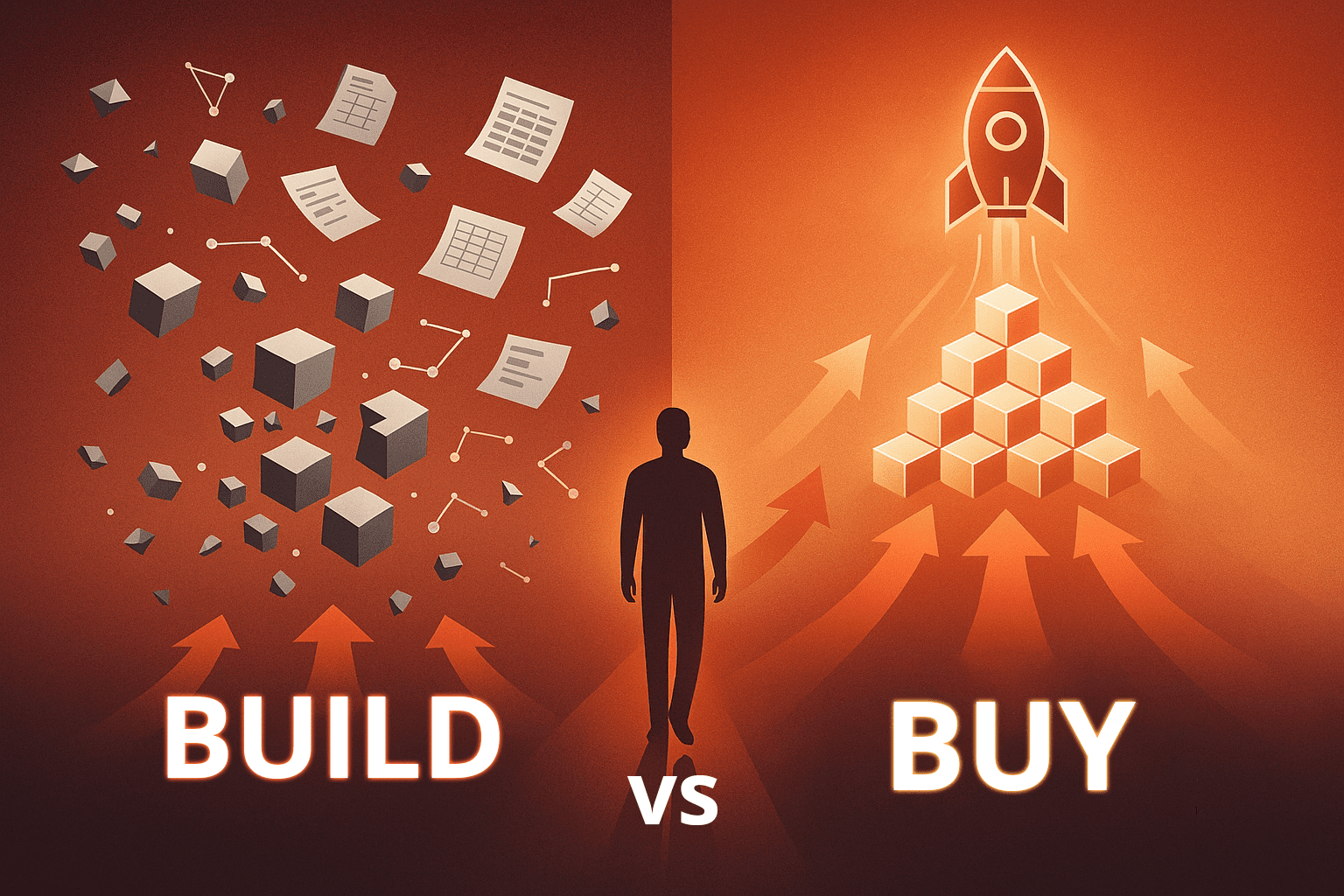
Then comes the "build vs. buy" question that will determine whether your initiative succeeds or joins the graveyard of failed BI projects: Will you build your enterprise analytics solution in-house, or buy a pre-built platform?
This isn't just a procurement decision. It's a strategic choice that will impact your timeline, your budget, your risk profile, and ultimately, whether your organization becomes truly data-driven or remains mired in manual reporting.
For organizations implementing analytics on complex enterprise systems like JD Edwards, Viewpoint Vista, NetSuite, or OneStream, this decision becomes even more critical. These platforms require deep Application Intelligence, the expert translation layer that transforms cryptic system data into analysis-ready insights. Without it, you're simply moving unusable data from one place to another.
The Seductive Logic of Building In-House
The case for building seems compelling at first glance. You have talented developers. You know your business better than any vendor. You want complete control over the solution. Why pay for something you could build yourself?
This logic has launched thousands of custom analytics projects. Many organizations have started down the build path with confidence, assembling teams of skilled developers and experienced consultants who understand data architecture, Power BI development, and database design.
The technical capabilities seem to be in place. The timeline seems reasonable. The business case gets approved.
Then reality sets in.
The Hidden Complexity: Why Application Intelligence Is Harder to Build Than It Appears
Building effective Application Intelligence requires more than technical skill—it demands deep, specific knowledge of how enterprise applications actually work. This expertise gap catches even experienced teams off guard.
Consider what it takes to transform JD Edwards data into reliable analytics:
- Understanding how the system uses journaling and how to leverage that for building accurate data models
- Knowing how deleted records are handled and replicating that logic correctly
- Interpreting decimal placement codes so financial values display correctly (otherwise millions become pennies)
- Mapping User-Defined Codes across modules and translating them into meaningful business descriptions
- Converting Julian date integers into standard dates
- Re-engineering transactional tables into dimensional structures optimized for analysis
This isn't knowledge you'll find in standard technical documentation. It's accumulated through years of hands-on experience with the specific application. Even platinum-certified Power BI consultants and experienced data architects struggle without this domain expertise.
The same challenge exists for every major enterprise platform. Viewpoint Vista requires understanding construction-specific WIP calculations and cost code hierarchies. OneStream demands expertise in flattening multi-dimensional cube structures while preserving financial intelligence. NetSuite needs knowledge of how its massive multi-purpose transaction tables should be restructured for performance.
Finding people who combine deep application domain knowledge with technical data architecture skills is extraordinarily rare—and extraordinarily expensive.
Learning from Experience: The Washington Companies Story
Industry research consistently shows that custom BI projects face failure rates exceeding 70%. These aren't failures of effort or intent—they're partly the result of underestimating the complexity of embedding Application Intelligence into analytics solutions.
Steve Schmidt, Business Intelligence Architect at Washington Companies, understood the appeal of building in-house intimately. With 18 years of experience in enterprise analytics and responsibility for a diverse portfolio of companies all running JD Edwards, he seemed ideally positioned to lead an internal build.
"Before QuickLaunch was available, we wanted to build our own version of these data marts for E1 to use with Power BI," Steve explained. "And we teamed up with two platinum-level partners that Microsoft introduced us to and recommended—they were very good partners."
These weren't inexperienced consultants. These were Microsoft's top-tier partners, platinum-certified experts in Power BI and data architecture. If anyone could build a custom solution successfully, it should have been them.
Over 18 months, Washington Companies made two separate attempts with two different platinum partners to build what seemed like a straightforward solution: a simple General Ledger analytics model from JD Edwards.
Both attempts failed.
The reason wasn't technical incompetence—it was the absence of deep application domain expertise. "Technically, they were very good partners," Steve noted, "but they didn't understand E1 (the ERP). And what we learned is the knowledge of JD Edwards is a big deal."
The Real Cost of the Build Approach
For the Washington Companies, the financial impact was significant: the cost of those failed attempts exceeded what they ultimately paid for a complete, enterprise-wide QuickLaunch solution covering all modules—Finance, Supply Chain, Manufacturing, Job Cost, and more.
But for any organization pursuing custom builds, the hidden costs extend far beyond the direct expenses:
Time and Opportunity Cost:
Every month without actionable insights represents continued competitive disadvantage, ongoing manual processes, and critical decisions made without data support. When custom projects stretch to 12-18+ months, organizations forfeit substantial strategic opportunities.
Organizational Impact:
Talented team members spending months on struggling projects experience frustration and burnout. When projects fail to deliver, trust in IT's ability to execute erodes, making future initiatives harder to launch and sustain across the organization.
Strategic Paralysis:
While organizations wrestle with building basic reporting capabilities, data-driven competitors are already optimizing operations, improving profitability, and capturing market share with functioning analytics platforms.
Washington Companies' experience isn't an isolated example—it's a pattern repeated across industries and organization sizes. The lesson they learned, however, proved invaluable for guiding their ultimate success and can help other organizations avoid the same costly detour.
The Maintenance Challenge: When "Done" Never Actually Arrives
Let's assume you successfully build a working solution. The hardest part is over, right?
Unfortunately, no. Building an enterprise analytics platform with Application Intelligence is just the beginning of a long-term commitment.
Version Compatibility: The Never-Ending Upgrade Cycle
Enterprise applications evolve continuously. ERP vendors release new versions with enhanced functionality, changed data structures, and modified business logic. Each upgrade threatens to break your custom analytics solution.
Organizations that build in-house face a recurring crisis with every system upgrade. Tables change. Logic shifts. Fields are added or deprecated. All of this requires rebuilding portions of your analytics platform to maintain compatibility.
Washington Companies experienced this challenge through multiple JD Edwards upgrades—from World to E1 8.0, then 8.1, 8.2, 9.0, 9.1, and 9.2. They also migrated backend systems from i-Series to SQL. Each transition would have required substantial rework with a custom-built solution.
The business continuity risk is real. When one of their companies needed to upgrade JD Edwards with only 90 days notice to meet a governance deadline, having a vendor-supported solution meant they could meet the deadline without disruption. A custom build would have made that deadline impossible.
The Knowledge Retention Problem
What happens when your lead developer—the person who truly understands your custom-built solution—accepts a position elsewhere? Their accumulated knowledge walks out the door. You're left with code that's difficult to maintain, business logic that's hard to decipher, and consultants billing by the hour to reverse-engineer what the previous team built.
This knowledge drain affects every custom system but is particularly acute with Application Intelligence, where domain expertise is already scarce. Replacing someone who understands both your specific ERP and your analytics architecture can take months—during which your analytics environment stagnates.
Scope Creep and Endless Enhancements
Custom builds suffer from perpetual scope expansion. Every department wants something slightly different. Every executive has unique reporting needs. Without the discipline of a defined product scope, your analytics platform becomes a never-ending development project consuming resources without ever reaching a stable state.
Pre-built solutions establish clear boundaries. Core functionality is defined, proven, and supported. Custom enhancements are possible but managed through a structured process. Your team focuses on deriving insights rather than building and rebuilding infrastructure.
The Pre-Built Alternative: A Different Path to Success
After experiencing the challenges of custom development firsthand, many organizations discover that pre-built Application Intelligence solutions offer a fundamentally different value proposition.
Steve Schmidt, a Business Intelligence Architect with Washington Companies, offers this perspective: "Don't try building it. Buy. I can't tell you, from a business continuity perspective, how important this decision becomes.”
What Pre-Built Solutions Deliver
Organizations that choose a pre-built enterprise analytics platform with Application Intelligence gain three critical advantages.
1. Proven Expertise Embedded in the Product
Pre-built solutions represent thousands of hours of accumulated domain expertise, encoded into production-ready analytics models. For JD Edwards alone, this means over 3,000 pre-defined measures, 2,400+ business-friendly dimensions, and 29 pre-configured business perspectives—all validated across hundreds of implementations.
This isn't just connecting to database tables. It's automatic handling of Julian dates, decimal precision, User-Defined Codes, transactional data re-engineering, and all the other application-specific complexities that trip up custom builds.
2. Rapid Deployment Timelines
What takes 12-24+ months to build internally can be deployed in 8-12 weeks with a pre-built solution. Every week of delay in analytics deployment means continued reliance on manual processes, missed opportunities for improvement, and competitive disadvantage versus data-driven competitors.
3. Vendor-Managed Version Compatibility
Perhaps the most underrated benefit is what happens when your ERP upgrades. With a vendor-supported solution, you request the latest version and receive updated connectors and models that maintain compatibility. No rebuilding required. No emergency projects. No disrupted reporting.
4. Proven Methodology and Scalability
Departmental BI projects may have some early successes but as you roll in into adoption, the project is not automated or scalable.
The Total Cost Question: Beyond the Obvious Numbers
The financial comparison between building and buying isn't as straightforward as comparing a software license cost to developer salaries. The true calculation must include all costs over the complete lifecycle.
Custom Build: The Full Cost Picture
Initial Development Investment:
- Specialized staff or consultants with application expertise: $150,000 - $300,000+
- Technical architects and developers: $100,000 - $200,000+
- Project management and coordination: $50,000+
- Failed attempts and restarts: Often equal to or exceeding successful build costs
- Total initial investment: $300,000 - $800,000+ (if successful)
Ongoing Annual Costs:
- Maintenance and enhancements: $75,000 - $150,000
- Version compatibility updates: $50,000 - $100,000 per major upgrade
- Knowledge replacement when staff leave: $100,000+
- Infrastructure and tools: $25,000 - $50,000
- Total annual costs: $150,000 - $300,000+
Hidden Costs:
- Opportunity cost of delayed insights: Immeasurable but substantial
- Risk costs of potential project failure:
- High Organizational friction and reduced credibility: Significant impact on future initiatives
Pre-Built Solution: Predictable Value
Initial Investment:
- Solution licensing and implementation: $50,000 - $150,000
- Rapid deployment reducing consulting hours: Included in above
- Comprehensive training and knowledge transfer: Included
- Ongoing support, customer success, and scalability; Included
- Total initial investment: $75,000 - $150,000
Ongoing Annual Costs:
- Annual maintenance and support: $15,000 - $30,000
- Version updates: Included in maintenance
- Access to vendor expertise: Included
- Infrastructure and tools: $10,000 - $20,000
- Total annual costs: $25,000 - $50,000
Organizations that attempted custom builds before switching to pre-built solutions report that their failed build attempts cost more than the complete pre-built solution—before even accounting for ongoing savings.
The Business Continuity Factor
Beyond timeline and cost, the business continuity advantage of pre-built solutions deserves special attention. In today's fast-moving business environment, analytics downtime directly impacts decision-making capability.
Emergency system upgrades, unexpected migrations, security patches, and architectural changes all threaten custom-built analytics environments. Each event requires assessment, planning, development, testing, and deployment—processes that can take months.
With vendor-supported solutions, these disruptions become routine updates. The vendor manages compatibility, testing occurs across their entire customer base, and deployment is straightforward. Organizations maintain continuous analytics capability even through major technological transitions.
This reliability compounds over time.
When Building Might Make Sense (A Realistic Assessment)
In fairness, are there scenarios where building Application Intelligence in-house is the right choice? Yes—but the conditions are narrow and rarely exist in practice:
Genuinely Unique Processes:
Not "we do things slightly differently," but truly proprietary workflows that represent core competitive differentiation and no vendor addresses. This describes less than 5% of organizations.
Stable, Expert Staff:
Long-tenured employees with both deep application domain expertise and advanced technical data architecture skills who plan to stay in maintenance roles indefinitely. This combination is extremely rare.
Static Technology Environment:
Systems that never upgrade, migrate, or change significantly. This scenario essentially doesn't exist in modern enterprise IT.
Unlimited Resources and Timeline:
Stakeholders who accept that analytics ROI won't materialize for 2+ years and budget can accommodate 2-3x cost overruns. Very few organizations have this luxury.
For the vast majority of enterprises, these conditions don't apply. The build approach appears appealing in theory but encounters reality's sharp edges in practice.
Making the Right Decision for Your Organization
The build versus buy decision shouldn't be about technical pride, perceived control, or demonstrating development prowess. It should focus entirely on delivering business value as quickly, reliably, and cost-effectively as possible.
Consider these questions honestly:
What's your opportunity cost of delay?
Every month without actionable insights is a month of decisions made with incomplete information. What's that costing your organization in missed opportunities, operational inefficiencies, and competitive disadvantage?
What's your true risk tolerance?
Can you afford an 18-month project with 70%+ probability of failure? Can you absorb the disruption of rebuilding analytics with every ERP upgrade? Can your organization handle the knowledge retention risk of custom solutions?
What's your actual Total Cost of Ownership?
Have you calculated all costs—maintenance, version compatibility, staff turnover, failed attempts, opportunity costs? How does that honest total compare to predictable, vendor-supported costs?
Where should your talent focus?
Do you want your skilled team members building infrastructure plumbing, or deriving insights that drive strategic decisions? Do you want them maintaining compatibility, or identifying opportunities?
What's your track record?
If your organization hasn't successfully delivered similar projects in the past, what makes this different? Do you have the specific application domain expertise needed, or just general technical capability?
For most organizations, honest answers to these questions point clearly toward pre-built Application Intelligence.
Moving Forward: From Decision to Action
Application Intelligence isn't optional—it's the foundation that determines whether your enterprise analytics investment delivers transformative value or becomes another expensive disappointment.
The question isn't whether you need it. The question is how you'll acquire it: through years of custom development with uncertain outcomes, or through weeks of implementing proven solutions that already work.
The most successful organizations aren't those that build everything themselves. They're the ones that recognize when to buy proven solutions so they can focus resources on what truly differentiates them in their market.
They understand that speed matters. That predictability matters. That reliability matters. That focusing talented people on strategic work rather than infrastructure maintenance matters.
They've learned that the path to becoming data-driven runs through smart technology decisions that accelerate value rather than demonstrate technical prowess.
What will your organization choose?
Ready to Unlock the True Potential of Your Enterprise Data?
Whether you're struggling with JD Edwards, Viewpoint Vista, NetSuite, or managing data across multiple systems, Application Intelligence is your bridge from complexity to clarity.
Next Steps:
|
Discover how Application Intelligence transforms analytics for your specific systems
|
|
Watch how QuickLaunch can transform your cryptic data into clear insights
|
[post_title] => Build vs. Buy: The Critical Decision That Determines Your Enterprise Analytics Success
[post_excerpt] =>
[post_status] => publish
[comment_status] => open
[ping_status] => open
[post_password] =>
[post_name] => build-vs-buy
[to_ping] =>
[pinged] =>
[post_modified] => 2025-11-11 21:51:56
[post_modified_gmt] => 2025-11-12 05:51:56
[post_content_filtered] =>
[post_parent] => 0
[guid] => https://prefstdev.wpengine.com/?p=13228
[menu_order] => 0
[post_type] => post
[post_mime_type] =>
[comment_count] => 0
[filter] => raw
)
)
[post_count] => 9
[current_post] => -1
[before_loop] => 1
[in_the_loop] =>
[post] => WP_Post Object
(
[ID] => 13307
[post_author] => 21
[post_date] => 2025-11-24 10:55:03
[post_date_gmt] => 2025-11-24 18:55:03
[post_content] =>
[post_title] => OneStream Power BI Playbook: 5 Steps to Creating a World Class OneStream Analytics Model
[post_excerpt] =>
[post_status] => publish
[comment_status] => closed
[ping_status] => closed
[post_password] =>
[post_name] => onestream-power-bi-playbook
[to_ping] =>
[pinged] =>
[post_modified] => 2025-11-24 11:26:55
[post_modified_gmt] => 2025-11-24 19:26:55
[post_content_filtered] =>
[post_parent] => 0
[guid] => https://prefstdev.wpengine.com/?post_type=resource&p=13307
[menu_order] => 0
[post_type] => resource
[post_mime_type] =>
[comment_count] => 0
[filter] => raw
)
[comment_count] => 0
[current_comment] => -1
[found_posts] => 124
[max_num_pages] => 14
[max_num_comment_pages] => 0
[is_single] =>
[is_preview] =>
[is_page] =>
[is_archive] =>
[is_date] =>
[is_year] =>
[is_month] =>
[is_day] =>
[is_time] =>
[is_author] =>
[is_category] =>
[is_tag] =>
[is_tax] =>
[is_search] =>
[is_feed] =>
[is_comment_feed] =>
[is_trackback] =>
[is_home] => 1
[is_privacy_policy] =>
[is_404] =>
[is_embed] =>
[is_paged] =>
[is_admin] =>
[is_attachment] =>
[is_singular] =>
[is_robots] =>
[is_favicon] =>
[is_posts_page] =>
[is_post_type_archive] =>
[query_vars_hash:WP_Query:private] => 822db949fe6ac144cd43eb1d65b76381
[query_vars_changed:WP_Query:private] =>
[thumbnails_cached] =>
[allow_query_attachment_by_filename:protected] =>
[stopwords:WP_Query:private] =>
[compat_fields:WP_Query:private] => Array
(
[0] => query_vars_hash
[1] => query_vars_changed
)
[compat_methods:WP_Query:private] => Array
(
[0] => init_query_flags
[1] => parse_tax_query
)
[query_cache_key:WP_Query:private] => wp_query:326c762db82d704ddd133a35be8de60e:0.67395000 1764562094
)