ERP analytics resources for finance and data teams.
Practical guides, eBooks and webinar recordings from the QuickLaunch Analytics team on ERP reporting, Power BI, Databricks, and getting your data ready for AI.
Learn from teams who've done it
The QuickLaunch Analytics resource library holds eBooks, on-demand sessions and customer case studies on getting trusted reporting and AI out of the ERP data your business runs on. Start with a self-assessment, or browse below.
AI Readiness Assessment
Score how ready your data is for AI in 7 to 10 minutes and get a downloadable report.
Take the assessment →Data Maturity Assessment
See where your data foundation stands today and what to fix first.
Take the assessment →Learning Center
Plain-English definitions of 180+ data, analytics and AI terms.
Browse the glossary →Case studies
Deployments from QuickLaunch customers, with the results they measured.
Read the case studies →The QuickLaunch blog
Articles on ERP reporting, Power BI, Databricks and AI on your data.
Read the blog →Start with these
Building AI That Works: The AI Readiness Playbook
Get the eBook →
Top 10 JD Edwards Analytics Challenges and How to Solve in Power BI
Get the eBook →
Top 10 Vista Analytics Challenges and How to Solve in Power BI
Get the eBook →
Top 10 NetSuite Analytics Challenges and How to Solve in Power BI
Get the eBook →
Top 8 OneStream Analytics Challenges and How to Solve in Power BI
Get the eBook →
End the Data Disconnect: Your Blueprint for a Unified Analytics Platform
Get the eBook →
Building One Trusted Foundation: The Data Lakehouse for Construction
Watch the session →
AI Starts with Data: Building the Data Foundation for AI
Watch the session →
AI in Action for JDE: A Practical Guide for Consumers, Creators, and Developers
Watch the session →
Go From Data Chaos to Data Clarity with QuickLaunch Analytics
Watch the session →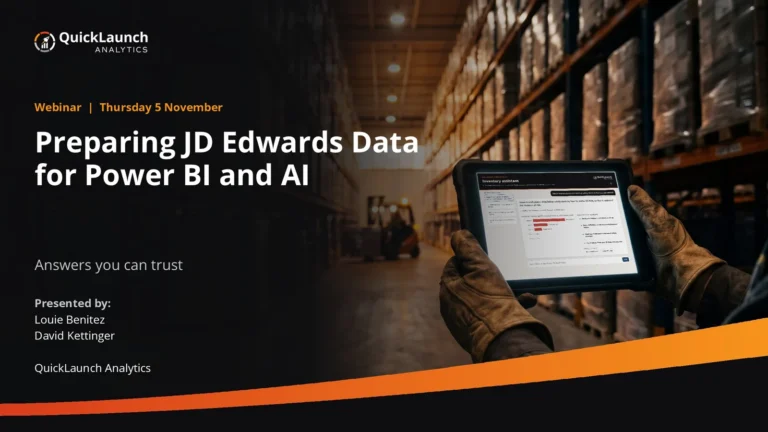
Preparing JD Edwards Data for Power BI and AI
Watch the session →
Customer Spotlight: Lewis Group of Companies
Watch the session →

Everything in the library
- On-demand sessionPreparing JD Edwards Data for Power BI and AI2026
- On-demand sessionBeyond the Connector: Enterprise OneStream Analytics in Power BI and Copilot2026
- On-demand sessionBuilding One Trusted Foundation: The Data Lakehouse for Construction2026
- Program overviewFoundation + Program Overview2026
- Case studySukut Construction Uses QuickLaunch and Power BI to Excavate Insights from Viewpoint Vista2026
- On-demand sessionAI Starts with Data: Building the Data Foundation for AI2026
- Case studyHow IGI Gained a Three-Year Head Start on Digital Transformation2026
- eBookBuilding AI That Works: The AI Readiness Playbook2026
- eBookEnd the Data Disconnect: Your Blueprint for a Unified Analytics Platform2026
- On-demand sessionOneStream Power BI Playbook: 5 Steps to Creating a World Class OneStream Analytics Model2025
- On-demand sessionThe Good, the Bad, & the Ugly: Unearthing Digital Gold Using Analytics2025
- On-demand sessionAI in Action for JDE: A Practical Guide for Consumers, Creators, and Developers2025
- eBookTop 10 JD Edwards Analytics Challenges and How to Solve in Power BI2025
- eBookTop 10 NetSuite Analytics Challenges and How to Solve in Power BI2025
- eBookTop 10 Vista Analytics Challenges and How to Solve in Power BI2025
- eBookTop 8 OneStream Analytics Challenges and How to Solve in Power BI2025
- eBookConnect, Centralize, Conquer: A Blueprint for a Unified Enterprise Analytics Platform2025
- On-demand sessionCustomer Spotlight: Lewis Group of Companies2025
- On-demand sessionBusiness Analyst Survival Guide: Everything You Need to Know for Harnessing Your JDE Data2025
- On-demand sessionThe Data Jedi’s Playbook for True Enterprise Intelligence2025
- On-demand sessionImplementing Enterprise Analytics for JD Edwards2025
- On-demand sessionHow Rockline Modernized JDE Analytics and Reporting with Power BI2025
- On-demand sessionUnlocking Construction Insights with Power BI2025
- On-demand sessionAccelerate Your OneStream Power BI Journey with QuickLaunch Power BI2025
- On-demand sessionGo From Data Chaos to Data Clarity with QuickLaunch Analytics2025
- On-demand sessionConstruction Analytics with Power BI and QuickLaunch2025
- On-demand sessionModern Transformation and Analytics Strategies with Power BI for JD Edwards2022
- On-demand sessionHow to Build Interactive Reports with QuickLaunch and Power BI2022
- On-demand sessionLearn How Power BI Resolves Daily Production Challenges2022
- On-demand sessionTransform IT into a Strategic Business Advantage Using Your Viewpoint Vista Data2022
- On-demand sessionTransform IT into a Strategic Business Advantage Using Your JDE Data2022
- On-demand sessionBuilding Confidence in the Month-End Close (for Viewpoint Vista Users)2022
- On-demand sessionBuilding Confidence in the Month-End Close (for JDE Users)2022
- On-demand sessionAn Inside Look at How IGI Wax Envisions Their Future with QuickLaunch2021
- On-demand sessionHow to Build Interactive JDE Reports with QuickLaunch and Power BI2021
- On-demand sessionShow Me the Money: Visualizing Your Cash Flow2021
- On-demand sessionThe Future of ERP Analytics with Machine Learning2020
- On-demand sessionThe Value of Being Data Driven Session 2: Self Service Analytics, A Key to Being Data Driven2020
- On-demand sessionThe Value of Being Data Driven Session 3: Best Practices Data Model, A 360-Degree View of Your Business2020
- On-demand sessionThe Value of Being Data Driven Session 4: The Potential of Advanced Analytics and How to Get There from Here2020
- On-demand sessionThe Value of Being Data Driven Session 1: Aligning Your Business and Data Strategies2020
- On-demand sessionManaging Content in Power BI to Drive User Adoption2020
- On-demand sessionAdvanced Power BI and JDE: Creating Your Vision for Advanced Analytics2020
- On-demand sessionAdvantages of a Data Model Approach When Connecting to JD Edwards Data2020
- On-demand sessionHow to Use JDE Data to Build a Competitive Advantage2020
- On-demand sessionThe Basics of Power BI and Connecting to JD Edwards2020
- On-demand sessionJDE Customer Roundtable Video Library2020
- On-demand sessionHow to Build Interactive JDE Reports with QuickLaunch and Power BI2020
- On-demand sessionPower BI Educational Series: How to Use JDE Data to Build a Competitive Advantage2020
- On-demand sessionBetter Charts in an Hour: Data Visualization Best (and Worst) Practices2020
- On-demand sessionAdvanced Power BI and Viewpoint Vista: Creating Your Vision for Advanced Analytics2020
- On-demand sessionBecoming Data-Driven: Your Journey to Digital Success2020
- On-demand sessionExpanding Viewpoint Vista Using the Power BI Platform2020
- On-demand sessionThe Basics of Power BI and Connecting to Viewpoint Vista2020
- On-demand sessionJDE Customer Roundtable: Progress Your Data-Driven Culture with Power BI and QuickLaunch2020
- On-demand sessionAdvantages of a Data Model Approach When Connecting to Viewpoint Vista Data2020
- On-demand sessionPower BI and Viewpoint Vista: What’s the Buzz?2020
- On-demand sessionIncrease Profitability with Job Cost Analytics2020
- On-demand sessionSave Days on Your Viewpoint Financial Close Process2020
- On-demand sessionVirtual Workshop: Using Modern Analytics to Enable Data-Driven Decisions2020
- On-demand sessionSave Days on Your JDE Financial Close Process2020
- On-demand sessionOptimizing JD Edwards User Defined Codes (UDCs) for Reporting & Analytics2019
- On-demand sessionConnecting JD Edwards to Modern BI Tools: Challenges and Considerations2019
- On-demand sessionTips & Tricks: JDE Reports & Dashboards Made Easy2019
- On-demand sessionGot Power BI with JD Edwards?2019
- On-demand sessionConsiderations for your JDE Self-Service Data Hosting Environment2019
- Case studyHaskell2019
- Case studyBrasfield & Gorrie2019
- On-demand sessionQuickLaunch for JD Edwards Powers your Interactive Sales Dashboards2019
- On-demand sessionQuickLaunch for JD Edwards GL Module: Analytics Visualized with Power BI2019
- On-demand sessionQuickLaunch for JD Edwards Integrates Microsoft Power BI and Excel2019
- On-demand sessionQuickLaunch for JD Edwards: Customizing your Sales Dashboard with Microsoft Power BI2019
- On-demand sessionMicrosoft Power BI for JD Edwards Powered By QuickLaunch2019
- On-demand sessionAn Introduction to QuickLaunch for JD Edwards Modern Reporting & Analytics2019
- On-demand sessionBecoming Data Driven with Modern BI Technologies2018
- On-demand sessionMachine Learning with JDE Data2018
- On-demand sessionHow to Build JDE Dashboards in minutes that will get you noticed2018
- On-demand sessionEnd Your JD Edwards Reporting Nightmares: Discover Why End Users Excel with Microsoft Power BI2016
About these resources
What resources does QuickLaunch Analytics offer?
QuickLaunch Analytics offers eBooks, on-demand sessions and customer case studies on ERP reporting and analytics for JD Edwards, Viewpoint Vista, NetSuite and OneStream, plus two self-assessments (AI readiness and data maturity), the Learning Center glossary and the QuickLaunch blog.
Are the resources free?
Yes. Some eBooks ask for your name and work email before you download them.
Where should I start if I'm getting our data ready for AI?
Take the AI Readiness Assessment for a score and a report, then read Building AI That Works: The AI Readiness Playbook and watch AI Starts with Data: What It Takes to Build an AI-Ready Enterprise.
Do you have resources for the system I run?
There are eBooks for JD Edwards, Viewpoint Vista, NetSuite and OneStream, and on-demand sessions for JD Edwards, Vista and OneStream. Filter the library by type, or search the Learning Center for a specific term.
Rather see it for the system you run?
We'll walk through the semantic model, measures and dashboards for the system you run, live.
 AR Aging

 Microsoft 365 Copilot
